
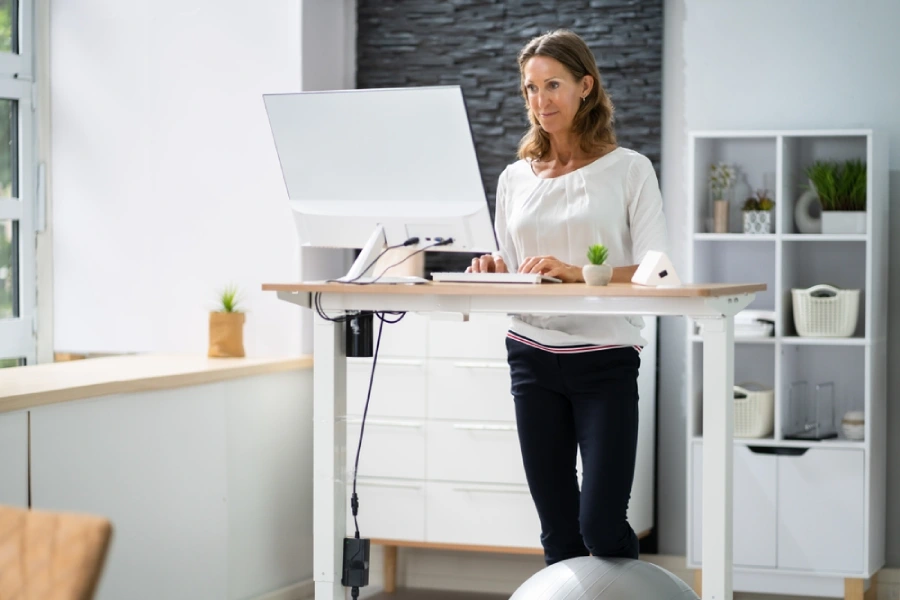
Standing desks have become a popular choice for professionals who sit for long hours. They promote movement, improve posture, and can reduce fatigue. An ergonomic standing workstation supports your body and helps you stay productive.
But simply standing isn’t enough. Poor setup can lead to discomfort or injury. This guide covers how to create a safe, effective setup that fits your needs.
Choose the Right Standing Desk
The first step to setting up an ergonomic standing workstation is choosing a desk that fits your height and space. Adjustable standing desks offer flexibility and support better posture. They also reduce the risk of developing musculoskeletal disorders (MSDs). Also, think about convenience—some adjustable desks are motorized so adjusting it is easier than with a manual crank.
Fixed-height desks can be turned into standing desks with a variable height standing desk converter placed on top of the desk.
Regardless of whether you choose an adjustable height desk or a standing desk converter, the desk surface should sit at elbow height when you stand. Your arms should form a 90-degree angle when typing. This keeps your wrists straight and your shoulders relaxed. Pick a stable desk with enough surface area.
Make sure it holds your monitor, keyboard, and other tools without wobbling. If you use monitor arms, check that the desk supports them.
Monitor Placement
Keep the top of your screen at or just below eye level. This prevents you from tilting your head up or down. Your eyes should look slightly down at the center of the screen.
Position the monitor about an arm’s length away. Adjust based on your screen size and vision needs. If you use two monitors, placement will depend on your use of the monitors. If you use primarily one monitor, place it directly in front of you. You can angle the second one to the side. If you move back and forth between two monitors equally, place them so that they intersect directly in front of you and angle both slightly towards you.
Use a monitor riser or arm if the screen sits too low or too high. Avoid stacking books or unstable items under your monitor. Proper height reduces neck strain and eye fatigue.
Keyboard and Mouse Position
Place your keyboard so your elbows stay close to your sides and form a 90-degree angle. Keep your wrists straight and relaxed. Avoid bending them up or down. Your mouse should sit at the same level as the keyboard.
Keep it within easy reach to prevent overreaching. A padded wrist rest can offer extra support.
Consider an ergonomic standing desk setup with a keyboard tray. This allows better height control. Use a flat surface and avoid tilting the keyboard upward.
Footwear and Anti-Fatigue Mats
You should not neglect your feet when setting up a standing workstation. Wear supportive shoes when using a standing desk setup. Avoid going barefoot or wearing shoes with no arch support. Good shoes can reduce strain on your feet, knees, and back.
If you need extra support, add an anti-fatigue mat under your feet. These mats provide cushion and promote small movements. They help reduce pressure and improve comfort during long standing sessions.
Choose a mat with enough grip to stay in place. Avoid thick or overly soft surfaces that affect your balance. Your standing desk setup works better when your feet stay comfortable.

Examine Your Standing Desk Posture
Your posture can impact how well your configuration helps you. Stand upright with your shoulders relaxed and your head in line with your spine. Try to keep your low back in a neutral posture – neither too arched or too rounded. Periodically contract and relax your stomach muscles to keep them active in a standing position. Avoid slouching or leaning forward in your ergonomic standing desk setup.
Your back should stay straight but not rigid. Keep your arms at your sides with elbows bent at 90 degrees. Let your wrists rest flat, not angled. Your hands should float above the keyboard without strain.
Place your feet shoulder-width apart and distribute your weight evenly. Shift your weight gently from one leg to the other over time. This encourages movement and improves circulation.
Engage your core slightly. This supports your lower back and helps maintain good posture. Use posture checks throughout the day to stay aligned.
Transition from Sitting to Standing
Even if you have an ergonomic standing workstation, don’t stand all day. Alternate between sitting and standing throughout your shift. Start by standing for 15 to 30 minutes every hour.
Use a timer or app to remind you when to switch between sitting and standing at your desk setup. Gradually increase your standing time as your body adapts. Standing too long too soon can cause fatigue or soreness. If you experience back pain from sitting to standing, check your posture and workstation setup.
Combine a few stretches as you transition to and from sitting and standing to make the transition even more helpful for your body. Stretching relieves muscle tension, increases joint mobility and improves circulation. Focus on stretching your shoulders, straightening the upper back, tucking your chin and stretching the front of your hips.
Poor alignment or lack of support often causes discomfort and could potentially worsen symptoms of sciatica and back pain. Use a stool or leaning chair if needed. These options let you rest while keeping a standing position.
Accessories and Customization
You could also add accessories that improve comfort and function to your standing desk configuration. Try document holders to reduce neck movement.
Cable management tools prevent tripping and make height adjustments easier. Look for clips, sleeves, or under-desk trays.
Use timers or desktop reminders to encourage posture checks and position changes. Apps and wearables can track your activity levels and suggest breaks.
Another great addition to a standing desk workstation is an adjustable height, articulating base stool. The articulating base allows continuous movement – similar to sitting on a therapy ball – except much safer. The adjustable height allows it to accommodate semi-standing or full sitting.
Reconfigure Your Workstations
Standing desk options only make sense if they are optimized to your specific conditions. Not every product labelled “ergonomic” will work for every workplace and every person. Let comfort be your guide. The above are general recommendations, but to achieve the optimal workstation configuration you may need a third party to analyze your setup and equipment. Don’t let discomfort become a serious strain or sprain, when small adjustments can make a big difference.